Subscribe to our RSS Feeds

Welcome to Johan Rensenbrink's Blog!

Welcome to my blog. What is it? I'll be posting the occasional life stories here if anyone's interested. See what I've been up to for yourself and if you want post a comment or chat in the forums. Don't expect anything particularly interesting here but hey, where else do I put all this stuff, eh?

Further Programming, Holidays, Etc.

No Comments »

Since my blog isn’t looking so intense and action packed this month I guess it’s time for another post! I was actually quite tempted to write a nice article about my particle rendering engine that ran using a very, very flexible data driven plugin system (aka support for scripting/modding).

Unfortunately, all three sources of back-ups are gone from my project files. First I whiped an entire 2 terrabyte hard drive, which was basically the main location of my most recent files, then a solid state drive failed which, as it was in a RAID volume at the time could not be recovered. And finally, my USB became so unbearably slow I couldn’t seem to transfer to or from it anymore, which is rather disappointing, so please forgive me for the lack of images in this post.

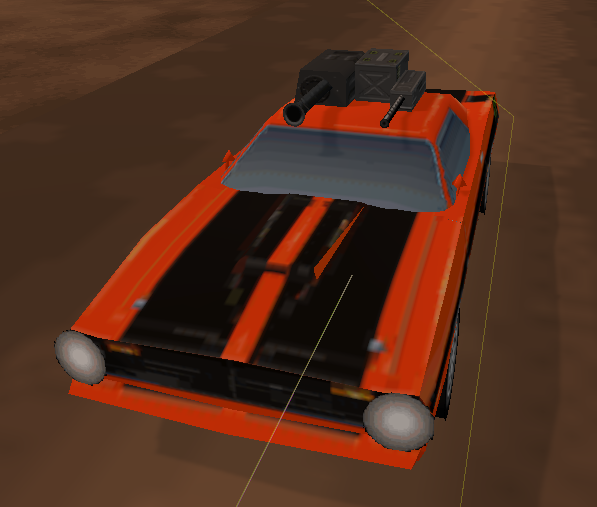
I did at some point post an image of it, however this is from a fairly early version, probably the moment I only got particles working.

It was a nice system, rather than using point sprites which was all that was required I decided to use triangle lists (in a somewhat simplified English version, I took control of the particles rather than them being automatically created somewhat) and after figuring out how to turn them into billboard sprites (make them always face the camera) I had a funky system of very customisable particles!

Anyway enough about the particles, I doubt they sound interesting after three paragraphs. I passed all my courses this trimester, believe it or not, and that means I’ve passed my first year. Surprisingly with some very colourful and bright grades (How I got a distinction for a math subject is beyond me).

Next trimester, from what I’ve gathered from the nice folk at QANTM who are teaching me I’m doing a group project. What I’d really like to dive in to, which I somewhat did by making my particle system data-driven, is possibly even further that into an external tool that allows designers that I’m allocated with to add content to the game without a single line of code. This isn’t something I’ve done before so it should be interesting.

The downside of the group project is that, with the current students I’m most likely being put into a group of 5-6 designers, and some animators and artists, with me being the only programmer. Inevitable conflict, but oh well.

Earlier this week was quite an interesting experience. I performed focus testing for SEGA Studios Australia with a friend of mine who I dragged along, as well some on-going contract work for a separate party. That’s literally as much as I’m allowed to say, since I’ve signed my first few contracts (Man, I feel so professional and capitalist-like!)

In the hope of not creating an incredibly boring series of posts, with paragraphs that no one would be willing to read I’m going to end it here, hopefully with some more exciting and visually-appealing content for my next post which again, hopefully isn’t too far in the future. Most likely a new iPhone game that I’ve been working on for roughly 2 months now, give or take a few days of delays, that should be ready for release early January.

Me, Programming December 23rd 2011

Octree Terrain Engine

No Comments »

As it’s yet again been some time since I’ve last posted anything, I’ve decided to post some info on my Octree terrain engine that I’m submitting sometime later this week as an assessment piece. Below I’ve copied and pasted directly from a document that I’m submitting as part of a detailed analysis of my development cycle.

I’ll see if I can upload a demonstration executable along with its source code later when I revise the code a bit more, as right now it’s a bit of a mess with comment blocks everywhere.

GAM204 Octree Technical Analysis

By Johan Rensenbrink

As I’ve gone a far bit over the word count I’ve split the major topics into sub-sections, so feel free to only read whatever seems interesting, or whatever you need to. As I’ve revised my octree project after creating this document I may have repeated myself a little bit, but I’ve tried to make sure that if this happens it’s no more than ~50 words of repetition.

Planning Stage – What to make?

Although performing a physical simulation was something that seemed quite interesting to me, I had decided to do some form of optimization technique as I personally thought that it will most likely be more useful and relevant for further programming in QANTM, since there aren’t frameworks or packages that do these things for us, unlike physics.

Narrowing that down, that brought me to a range of different choices. Quadtrees, octrees, portals and so forth. I was mainly interested in the area of quadtrees and octrees, as I had predicted that portals would be somewhat overwhelming with having the addition of occlusion culling. I decided to start simple, and have a go at quadtrees instead, with the idea that once I figured out the basics of that to move on with an octree.

Creating the Octree I have now – In big steps

I started the project where I left off with the previous assessment. I did not have any form of optimization, and in this case a quadtree wouldn’t be very useful without some kind of frustum culling. Fortunately, I discovered it was surprisingly easy to implement such a thing with DirectX helper functions such as D3DXPlaneDotCoord and had no issue implementing a few different forms of collision functions involving points, spheres and boxes. For the octree itself I ended up using a sphere and the eight corners of each leaf node to minimize false-positives.

My decision to upgrade to an octree actually came when I started to draw the quadtree outlines using with debug lines. I set two fixed Y values to make it easier to interpret it as a box instead of infinite lines which seems confusing in a way. Here I realised that an octree was literally just adding one dimension, and increasing the children from four to eight (quad -> oct, whoah!).  Within minutes I had a something working already.

Debug features everywhere!

For debugging, I have a range of options, such as ‘halving’ the view frustum that makes it possible to see terrain patches around the edges of the screen dissapear as well as walking on the terrain to simulate a practical scenario. The most useful debug feature I had was using a console window and directly feeding that with std::cout from the good old days of ‘Hello World’.

Terrain Dependency and Issues with the Terrain

My octree ended up being very dependent on the terrain class. Unfortunately that isn’t particularly flexible but it was perfectly sufficient for the purpose of this demonstration. The terrain object itself would instantiate and manage its own octree. The reason for this was to easily import settings from the terrain without having to change this as I was trying a lot of small changes to fix things and improve things.

One issue that turned up, and wasn’t really suprising to find was the matter of the terrain causing splits between nodes. Rather than implementing a system that would have to connect each patch and probably leading to somewhat of a headache-inducing night of programming, I decided to give each patch an overlap of one terrain unit size. This way, everything connects wonderfully and even with ~800 nodes, aka 256 triangles max of a 30,000 triangle terrain I only gain around 1,000 triangles which seems very nice. Gaining a 30th in mesh complexity does not seem like it would ever create a performance issue even in complex situations (20fps – 0.67fps = who cares?).

Terrain splitting, argh!

As an additional feature I had a look at a simple LOD interface. Over distance from the camera, the terrain would become ‘simpler’. This was working great within minutes but brought me to a new issue. Terrain patch borders would have unequal heights. One solution I read about was adding ‘skirts’, but as my quadtree was using index buffers instead of vertex buffers for each patch this was not possible. After an hour or so I had my terrain grid working with borders, only to realise the same problem would occur with the borders and the inner sections so I decided to skip the idea of LODs for the time being. If I was to continue trying to solve the issue I would possibly end up switching from index buffers per tree patch to vertex buffers, either to create cheap ‘skirts’ or otherwise somehow better synchronize the height of the patch borders to account for the lack of vertices in neighbouring patches, which seems like the best solution (flattening two vertices for each one vertex of the ‘lower’ quality neighbour patch)

Index Buffers and Vertex Buffers

One more thing I wanted to look into was optimising my octree as one of the last tasks. I had a look at making both a large index buffer and vertex buffer for the entire terrain, with each patch simply adding indices to the index buffer during the render function. The idea was to reduce the draw calls from potentially hundreds down to a single call, without sacrificing the whole point of the quadtree culling out leaf nodes that can’t be seen. A major downside was that the index buffer would have to be locked/unlocked each render call rather than only once, therefore I was somewhat unsure if this would still be an improvement over multiple draw calls. In the end I ended up doing this which improved performance and incredible amount (4FPS -> 200FPS rendering ~800 nodes)

During the initial stages of creating a quadtree (before the octree itself) was deciding how to split the terrain up. The initial idea was to use a large index buffer for the terrain and a vertex buffer for each patch after researching this on the internet. I ended up inverting this and having a large index buffer with a vertex buffer for each patch as it made it easier to control small changes I made to the terrain and it ended up working fine. However, using index buffers for each patch did prevent the idea of a ‘skirt’ for the LOD I was talking about earlier. Although I haven’t done this, I think the index buffer does potentially solve connecting ‘lower’ terrain leaf nodes to ‘higher’ ones if I did not make the terrain height-independent.

Issues During the Final Stages

There were two issues that remained within the final version of my octree terrain engine. Essentially this was due to an issue with generating each terrain node but despite several attempts of resolving this problem I just couldn’t find the source that caused it. The triangle count of the rendered terrain increases depending on how many grids are visible at once. For example, with only one node, there are 30,258 triangles being rendered. With 729 nodes (from splitting above 256 triangles per node) there are 72,826 triangles, more than double than the original terrain.

The second issue, which is most likely linked but not entirely caused by the first one, is performance. When there is one node for the entire terrain, I have 180FPS displaying the entire terrain. With 729 nodes, I have only 4FPS. It’s extremely unlikely that rendering 60,000 triangles could cause this big of a performance hit, seeing as most modern games easily render over a million per frame.

Fortunately, I was able to resolve both of these issues. The first issue was caused by incorrect calculation of node boundary boxes, which was extremely odd as they rendered correctly despite some very wrong values. Now with 729 nodes I have roughly 31,000 triangles. The extra triangles are create by overlapping the borders of nodes to compensate for connection issues (gaps otherwise form).

The second issue was resolved by removing the index buffer for each patch and having the quadtree manage one vertex buffer and one index buffer. Octree nodes would now only contain index data without their buffers. This has led to a huge performance increase, with 280FPS (100FPS more than displaying nothing with individual index buffers despite having nothing to draw!) and around 200FPS with the entire terrain visible.

Me, Programming November 22nd 2011

DirectX Demo Upload

No Comments »

Although it’s somewhat delayed, I’ve got the excuse of my solid state drive’s life coming to an end, etc. etc.

Source is included in the ZIP.

Download

Programming, Site October 29th 2011

DirectX Graphical and Math Demos

No Comments »

The above screenshot actually marks the final part of the math demonstration, with the rendering already done. Again this is just demonstrating the basic abilities of DirectX 9, but regardless this was quite a fun little project.

I’m not entirely done yet, with one more feature left and one more attempt at stressfully trying to fix my blending mode demonstration (since I’m having some issues setting blending operations correctly in regards to simple additive and subtractive modes). Once I do, however, which will be tomorrow sometime since I’m taking a little break, I’ll upload it here if you desperately want to watch a box rotate or such.

Me, Programming October 25th 2011

DirectX Stencil Shadows, Filtering & Scene Switching

No Comments »

Stencils appear to be quite a tricky thing to get working well in DirectX. They’re extremely handy, but they’re not one of the easiest things. Fortunately I was able to implement a pre-existing shadow example that showed a teapot shadowed on a white plane and implemented it into my own engine.

You can immediately see the FPS isn’t at a very pretty value. This is for good reason however. I may not be using any optimization techniques such as portals yet, but my code is structured quite well. It just so happens that the model that is being shown has around 300,000 polys. Still no biggy. Except, instead of having a simplified mesh for the shadow, I’m rendering all 300,000 polygons for the shadow as well which takes a lot more calculations. Without the shadow I receive around 160FPS. Without the terrain I get a more decent 600FPS, and without the model around 3000FPS. This is all still with 16xAF and 8xAA filtering enabled.

The DirectX demonstration has all the necessary features so far, and although you can’t see this in the screenshot I’ve been working on making the memory management efficient as well as adding a scene manager that now allows me to very quickly swap between different ‘scenes’. These scenes basically consist of two arrays, one for drawn objects and one for the lights. Text can also be individually added per scene and the key buffer is directly linked to both objects as well as the scene so user input can be efficiently managed.

With everything I need written in code, for both rendering and math demonstrations, I just need to write the actual separate showcase items with the base code that I’ve written so far.

Me, Programming October 23rd 2011

Primary Domain Transfer

No Comments »

The primary domain which is currently set as www.renscreations.net will be transferred over to www.renscreations.com in roughly two weeks, just be aware some downtime is expected and the website will no longer be accessible from www.renscreations.net so if for some bizarre reason you do visit my website, please use the .com extension, thanks.

Site October 20th 2011

Texturing, Matrices and Quaternions

No Comments »

With a graphics and math demonstration due sometime next week I’ve made a fairly quick start on a few new additions from last week’s simple terrain demonstration. Now having a basic idea of how vertices are laid out I’ve gone ahead and added textures as well as lighting to the DirectX demo as well as a custom made math library without the use of DirectX’s own math functions.

Right now vectors and matrices are completely functional and can be manipulated in a numerous ways. Dot products, inverse (the picture above shows an inverse matrix), transpose, cross products, addition, subtraction and a few others. It’s nice to know how the very core of a graphics library works without having a graphics engine encapsulating everything away from the programmer’s control.

Right now I’m still working on getting a Quaternion class written which concludes the demonstration of 3D graphic maths at this stage of my course. Finally, my last focus will be on the graphics engine itself which is due sometime next week.

This is still using DirectX 9, which since I’m not using shaders won’t do my knowledge much good if I decide to move on to DirectX 11 which relies entirely on shaders. However I’ll be looking into these over the next few weeks to expand my knowledge on this.

Me, Programming October 17th 2011

DirectX Terrain Generation

No Comments »

Since a new post has been way overdue I’ve decided to post the first relatively interesting thing I could come up with. At the moment I’m learning a great deal regarding 3D rendering as well as some of the complex mathematics involved, such as four-dimensional matrix operations and quaternions, both of which are obviously very common in 3D development. Up until now, I’ve had the luxury of relying on game engines to do most of the complex work for me so this is quite new to me, and mind you, it won’t be particularly graphically interesting but it’s worth a try.

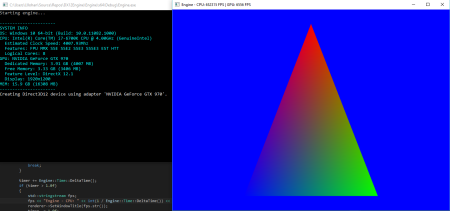
The strange white blob on the screen is just a rotating teacup mesh. So right now, this week I’ve been working on a little terrain project that would randomly generate terrain, differently each time the program is run. The concept is very easy, as I’m simply creating a grid of vertices of any size I specify; right now this is 160×160 with a 0.4 unit distance between each vertex. I then generate random numbers which are responsible for both the height and colour of each vertex (a heightmap, yay!). I then run a series of smoothing passes that, right now very simply average the four neighbouring vertices and combine that value into each center vertex. Unfortunately this means that all bordering vertices are out of the question and I simply set their height to zero.

The last thing which took me suprisingly long is connecting it all up with indexes (indices). After struggling with a simple combination of for loops and guessing I finally got the result I wanted, yay!

It ain’t no Crysis but it’s a start.

Programming, Site October 5th 2011

Pac-Man

No Comments »

So after approximately 3 weeks I finished Pac-Man with a fairly relaxed programming schedule. It comes with its fair share of bugs but overall it works well. It doesn’t include features such as fruit and other little features but the core components work. You can eat dots, you can be eaten, you can eat ghosts, ghosts chase you etc. There’s even a nice little easy way to add new levels although you’re likely to break it if it isn’t done right. If you decide to get adventurous and modify or add new levels using the format shown in the example 3 levels be sure to delete the accompanying _nodes.txt file so it’s rebuilt. Unfortunately I didn’t really get up to doing this automatically. The source is included for those that are interested. The game uses a modified framework of SFML that’s specifically designed for my Uni’s purposes so there are a few functions in the program that you may not be familiar with if you do decide to sift through the code. Anyway, that’s it, enjoy.

Download Pacman.zip

Me, Programming August 14th 2011

Bugs

No Comments »

Me, Programming August 10th 2011